Choosing between in-house and outsourced IT is about more than who responds when something goes wrong. You need to know which approach will support daily operations, protect business information, and make responsibilities clear.
In-house staff can develop direct knowledge of your systems and workflows, while an outside team can bring expertise across different areas of technology. This guide explains the support needs to consider, how managed services fit into daily operations, and what to weigh when choosing the right model for your business.
Key Takeaways
- Map the support your business needs, from daily troubleshooting to network maintenance, before deciding who should handle it.
- Consider how managed IT services can provide ongoing support for your business’s technology and changing needs.
- Assess network security and data backup together to help protect systems and keep critical information recoverable.
- Compare support options by expertise, coverage, security, and fit with your operations, then identify where a managed IT partner could help.
What Should Your IT Support Cover?
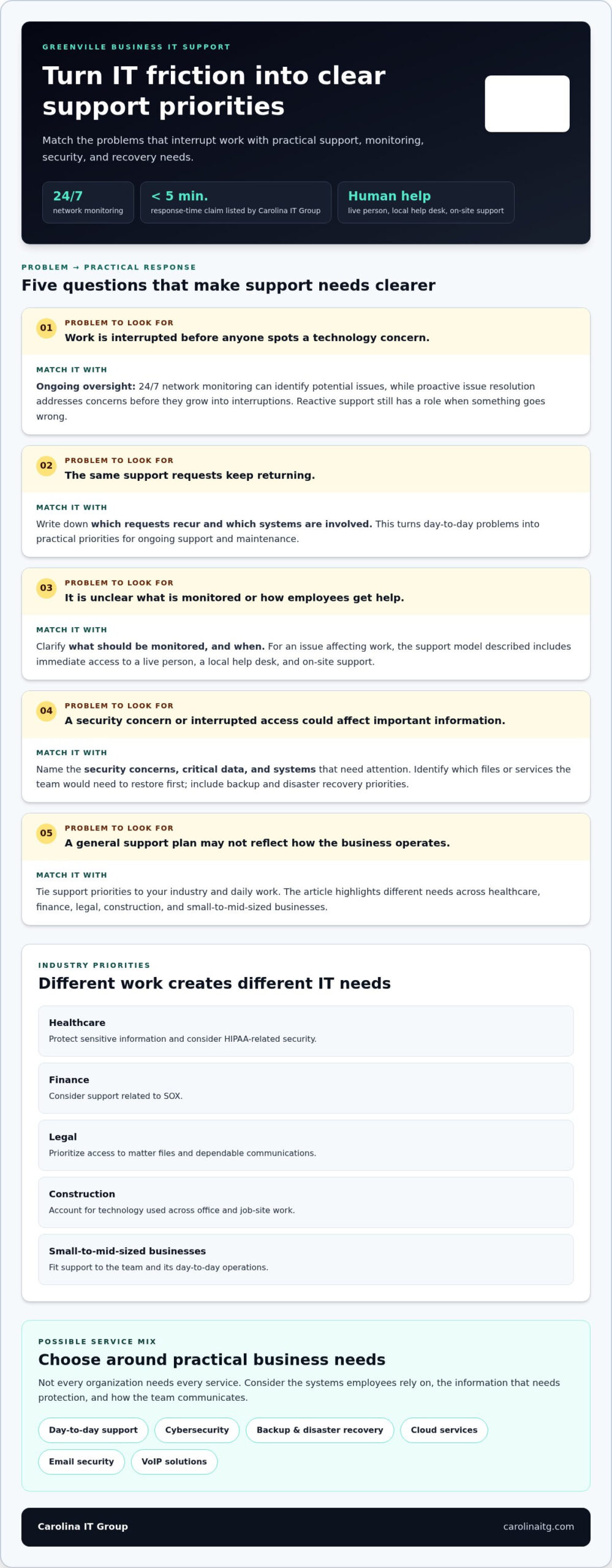
A small business needs IT support that keeps employees productive, protects information, and limits disruption when technology fails. Before choosing internal staff or outside support, map the systems your team relies on and the work required to keep them running reliably.
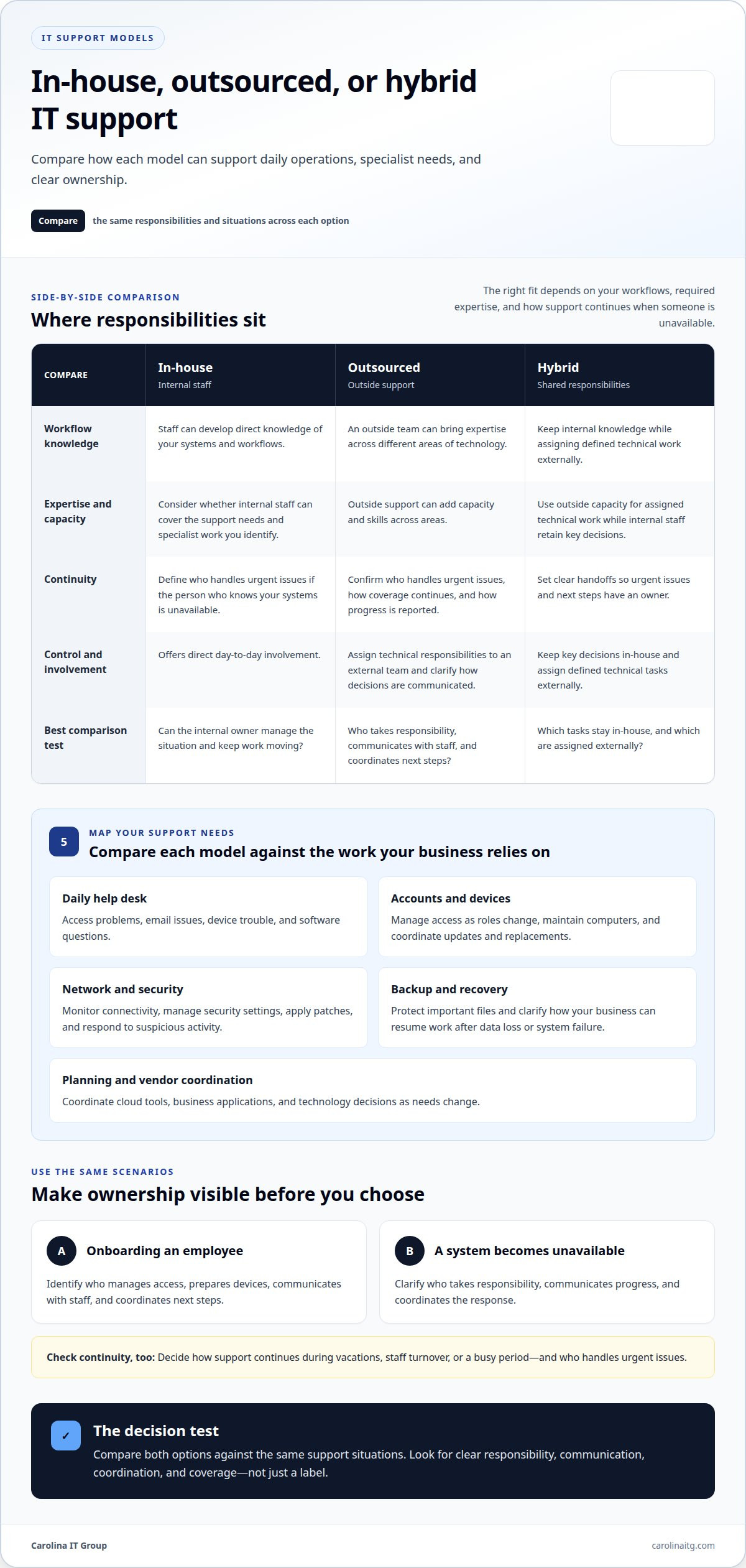
- Daily help desk support: resolve access problems, email issues, device trouble, and software questions so employees can return to work.
- Account and device management: add or remove access as roles change, maintain computers, and coordinate updates and replacements.
- Network and security oversight: monitor connectivity, manage security settings, apply patches, and respond to suspicious activity before it interrupts operations.
- Backup and recovery: protect important files and clarify how the business can resume work after data loss or system failure.
- Planning and vendor coordination: manage cloud tools, business applications, and technology decisions as needs change.
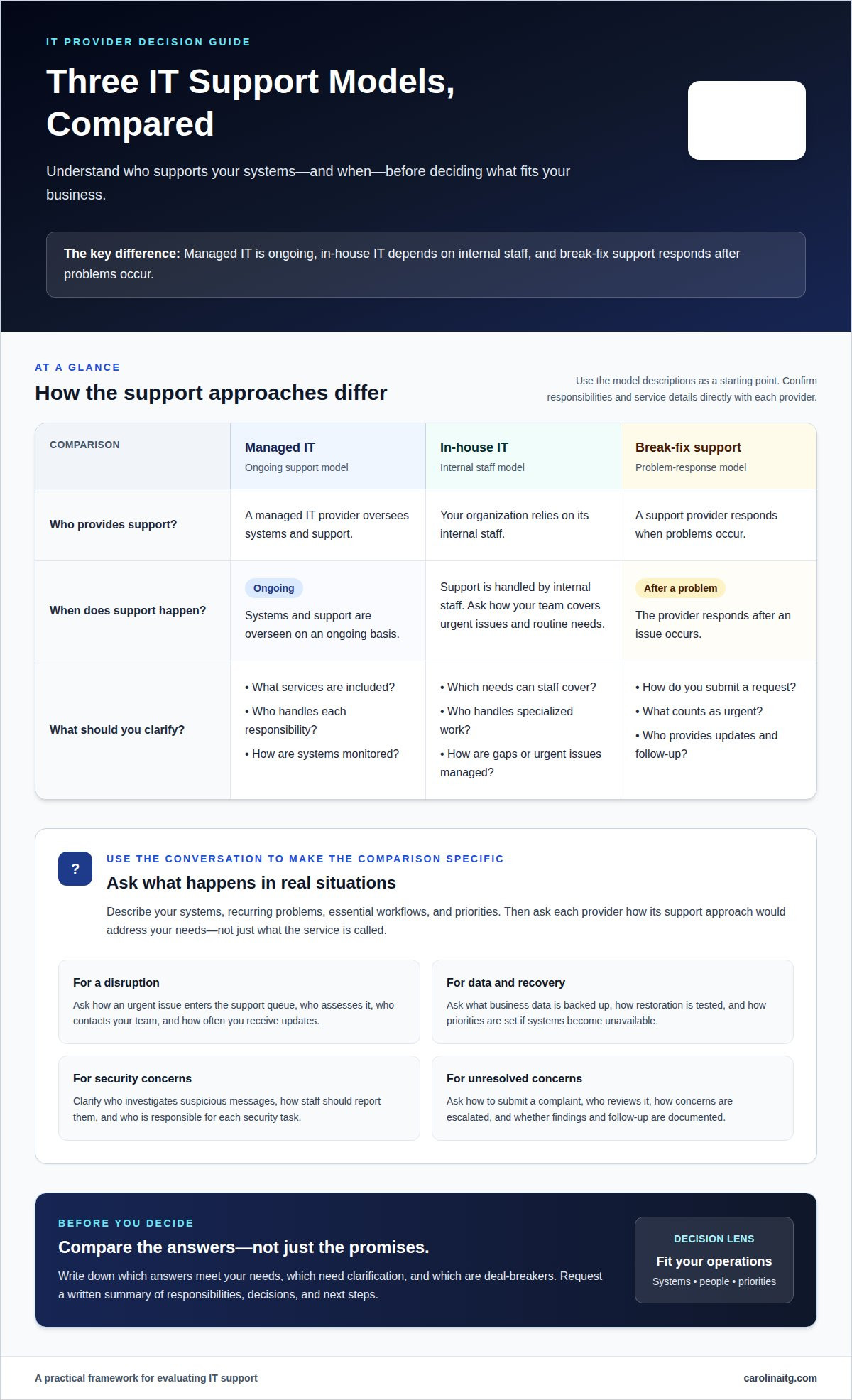
Compare how each option handles coverage, specialized skills, and handoffs. An employee may know your workflows firsthand; outside support can add skills across areas. If ongoing help spans devices, networks, and security, managed IT support can coordinate those responsibilities. Make ownership clear, so issues don’t fall between people.
How Managed IT Services Support Your Business
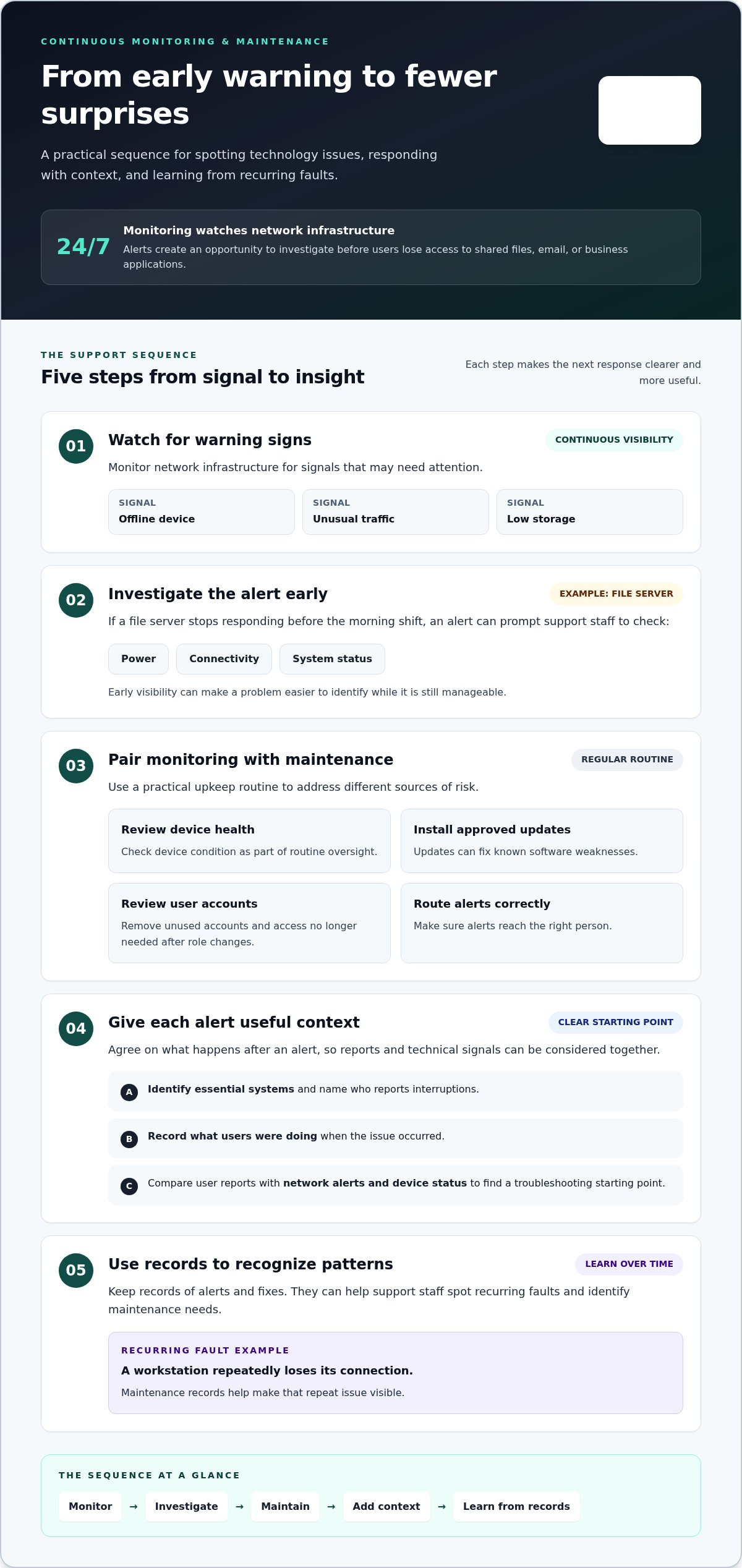
Managed IT services can provide a consistent way to handle changing technology needs. Their value goes beyond resolving individual problems: a support team can track recurring issues, coordinate work across systems, and help prioritize tasks. Clear support responsibilities can help your team manage technology needs.
Day-to-day support may include:
- Issue tracking: Record problems and their resolutions so repeat disruptions are easier to recognize.
- Change coordination: Plan technology changes around business workflows and communicate what staff need to know.
- Support prioritization: Distinguish a single-user inconvenience from an issue affecting shared systems or business operations.
- Technology guidance: Help connect immediate support needs with decisions about tools and future plans.
For example, if an application problem repeatedly interrupts work, support can address the underlying pattern rather than treating each report separately. Clear ownership helps prevent gaps.
How Network Security and Data Backup Protect Your Operations
A network security program helps prevent unauthorized access and reduce the risk of incidents disrupting work. It may involve managing user permissions, securing network devices, applying security patches, and monitoring for unusual activity. Email security matters too: a deceptive message can expose accounts or give an attacker access to business systems. Clear access practices help protect sensitive information while allowing employees to do their jobs.
Backups provide a recovery path if files are deleted, damaged, or locked during an incident. A dependable backup and disaster recovery plan identifies critical information, where protected copies are kept, and how systems and data can be restored. Restoring files does not prevent an incident, so backups and security measures need to work together.
Managed IT can coordinate these protections as part of ongoing support. A provider handling managed IT security can help align security monitoring, access controls, and recovery planning with the systems your team relies on. The result is a clearer response path when a threat or outage affects operations.
What to Consider When Comparing IT Support Options
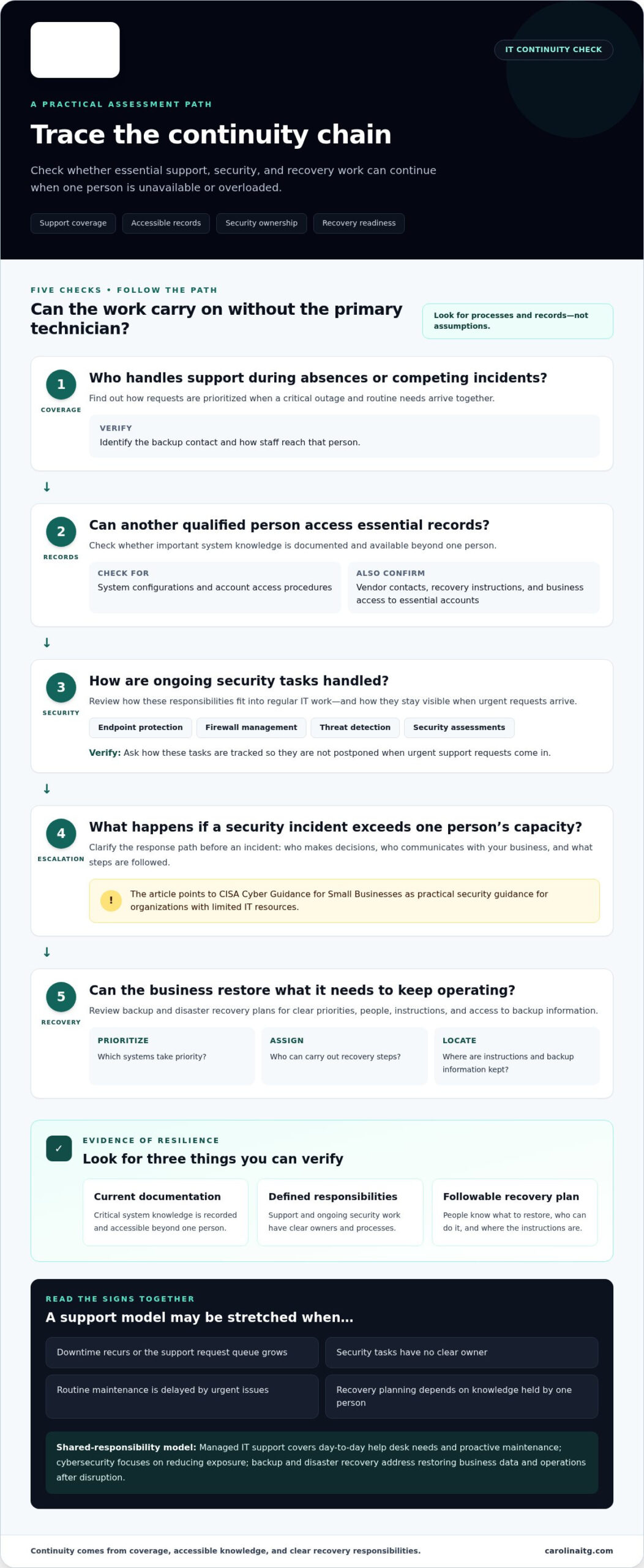
Start a fair comparison with your business needs, not a label. Consider what happens when the person who knows your systems is unavailable, a project requires specialist expertise, or an issue spans several areas. First, define the responsibilities and support expectations each option must meet.
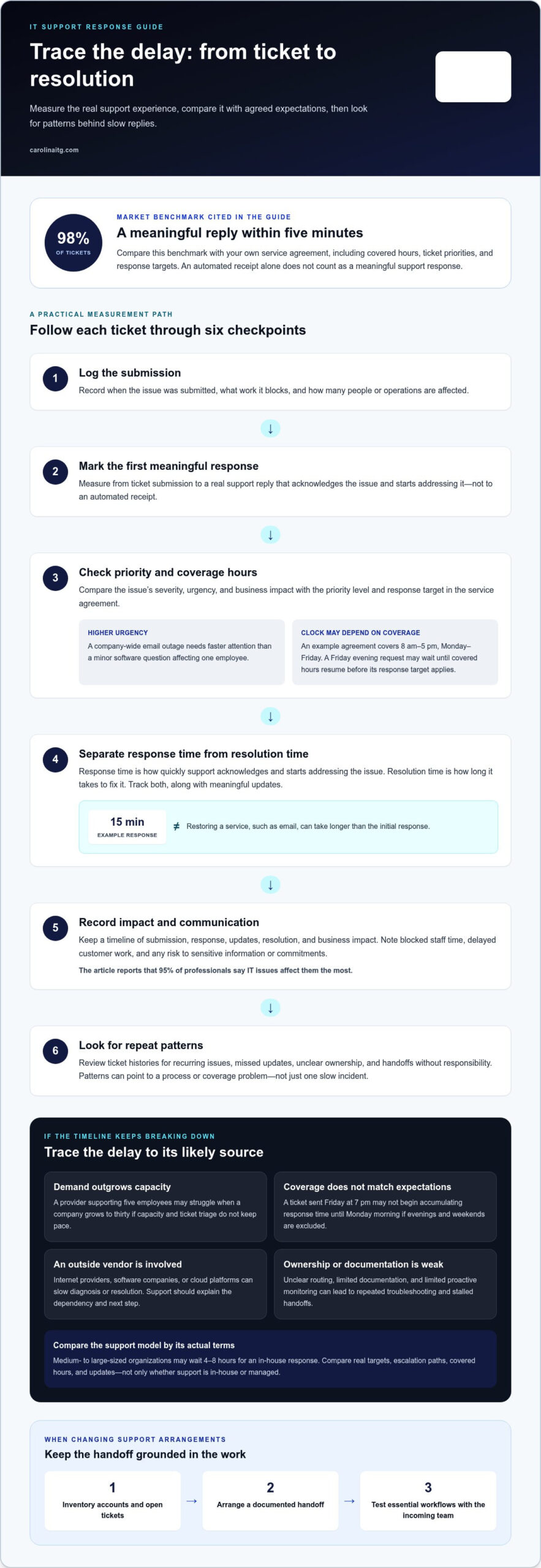
- Continuity: Decide how support continues during vacations, staff turnover, or a busy period. Identify who handles urgent issues and keeps work moving.
- Communication: Look for a clear way to report problems, track progress, and explain technical decisions in terms your team understands.
- Business fit: Consider your industry, essential applications, team locations, and any systems that need specialized attention.
- Control and flexibility: Internal staff offer direct day-to-day involvement. Outside support can add capacity; a hybrid approach can keep key decisions in-house while assigning defined technical work externally.
Compare both options against the same situations, such as onboarding an employee or responding to an unavailable system. Record who takes responsibility, communicates with staff, and coordinates next steps. The right fit balances internal knowledge, broad expertise, and dependable coverage, with clear ownership.
Compare contracts and service-level agreements against the same support situations. Check who handles urgent issues, how coverage continues, and how progress is reported. Make sure responsibilities, communication, and coordination are clear, including which technical tasks stay in-house and which are assigned externally.
Carolina IT Group
Carolina IT Group helps small businesses assess how managed support can complement or take on internal IT responsibilities. Based in Greenville, North Carolina, the company serves businesses in Greenville, Raleigh, and Wilmington. If your team is stretched across user support, security, and system maintenance, Carolina IT Group can help organize those needs into a support plan shaped around your operations.
Managed IT Services support ongoing technology needs. Cybersecurity and Network Security address threats that can disrupt accounts, devices, and business operations, while Backup and Disaster Recovery helps protect critical data and plan for recovery. Cloud Services support businesses that rely on internet-accessible tools and data. Together, these services can coordinate technology support without placing every responsibility on one internal employee.
Consider Carolina IT Group when your internal team needs added technical capacity, your organization is planning a technology change, or security and data protection need coordinated attention. Businesses with in-house staff can also use managed support to complement internal knowledge, rather than treating the decision as all or nothing. The company’s technicians maintain vendor certifications.
For a conversation about your needs, contact Carolina IT Group.
Frequently Asked Questions
What does outsourced IT support include?
The services depend on your business’s needs and the support you require. Outsourced IT support may suit a business that needs help with user assistance, system maintenance, or security, while an in-house employee may be a fit for ongoing work that depends on close knowledge of internal processes. Define the responsibilities and expertise your business needs to determine which approach fits.
What responsibilities may remain with your team after outsourcing IT support?
Identify which responsibilities remain with your team after outsourcing. Staff may need to provide system access, explain business processes, coordinate with the provider, and handle tasks outside the agreed scope. Clearly documenting responsibilities, escalation steps, and handoffs helps prevent misunderstandings from disrupting daily operations.
What should a managed IT provider assess when planning IT support?
A managed IT provider can review the roles, tools, and time your internal support model requires, then compare those resources with the services your business needs. The assessment should distinguish duties that remain with employees from those assigned externally. This clarifies coverage, responsibilities, and the resources needed to maintain your technology.
How do you define the scope of outsourced IT services?
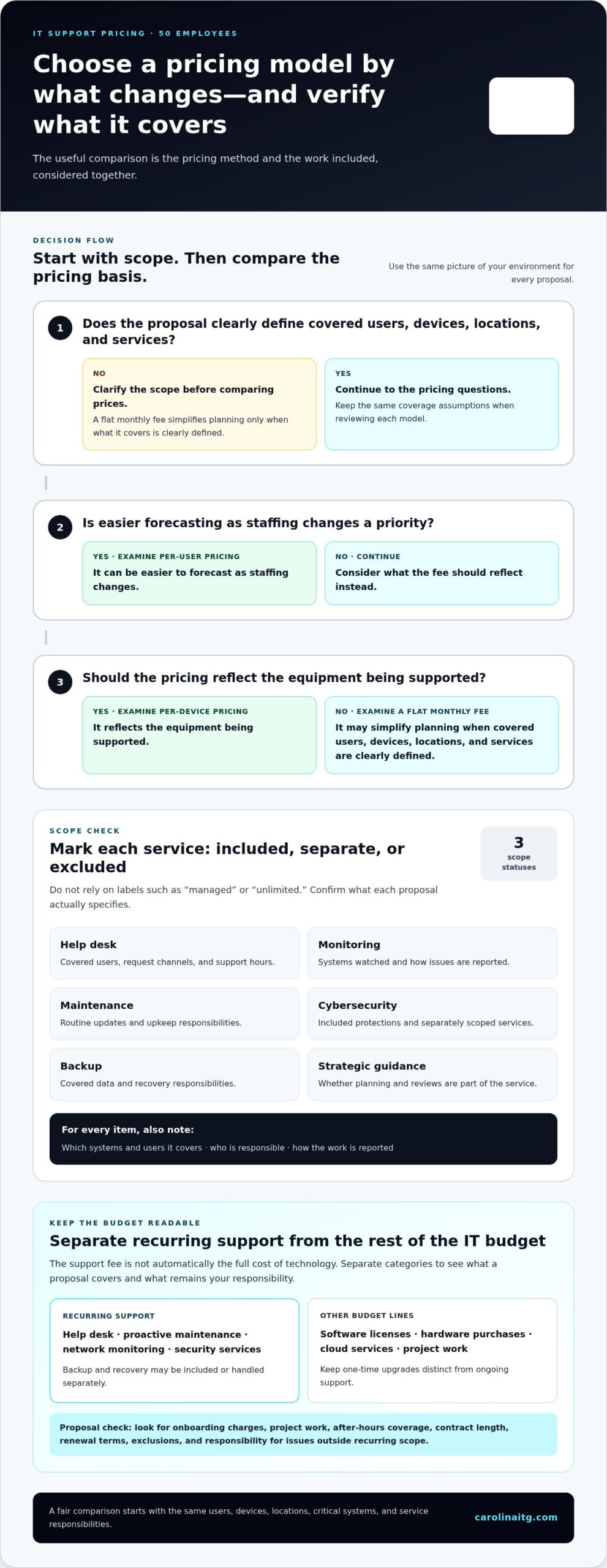
Start by documenting the support your team needs, such as user assistance, system maintenance, security, and recovery planning. Then define which tasks are included, which remain internal, and what transition or coordination work is required. Clearly defined services and coverage help ensure the support fits your operations.
What roles can in-house IT staff perform?
In-house IT staff can handle a range of responsibilities depending on their skills and your business’s needs. A help desk technician may assist users, while a security specialist may focus on protecting company systems and data. Identify the roles and expertise your operations require when deciding how to structure IT support.

President & CEO
I hope you enjoyed this article. My mission is to take your stress away from dealing with IT problems. Call (252) 565-1235 or send me a message at our contact us page if you have a question, comment or want help.