
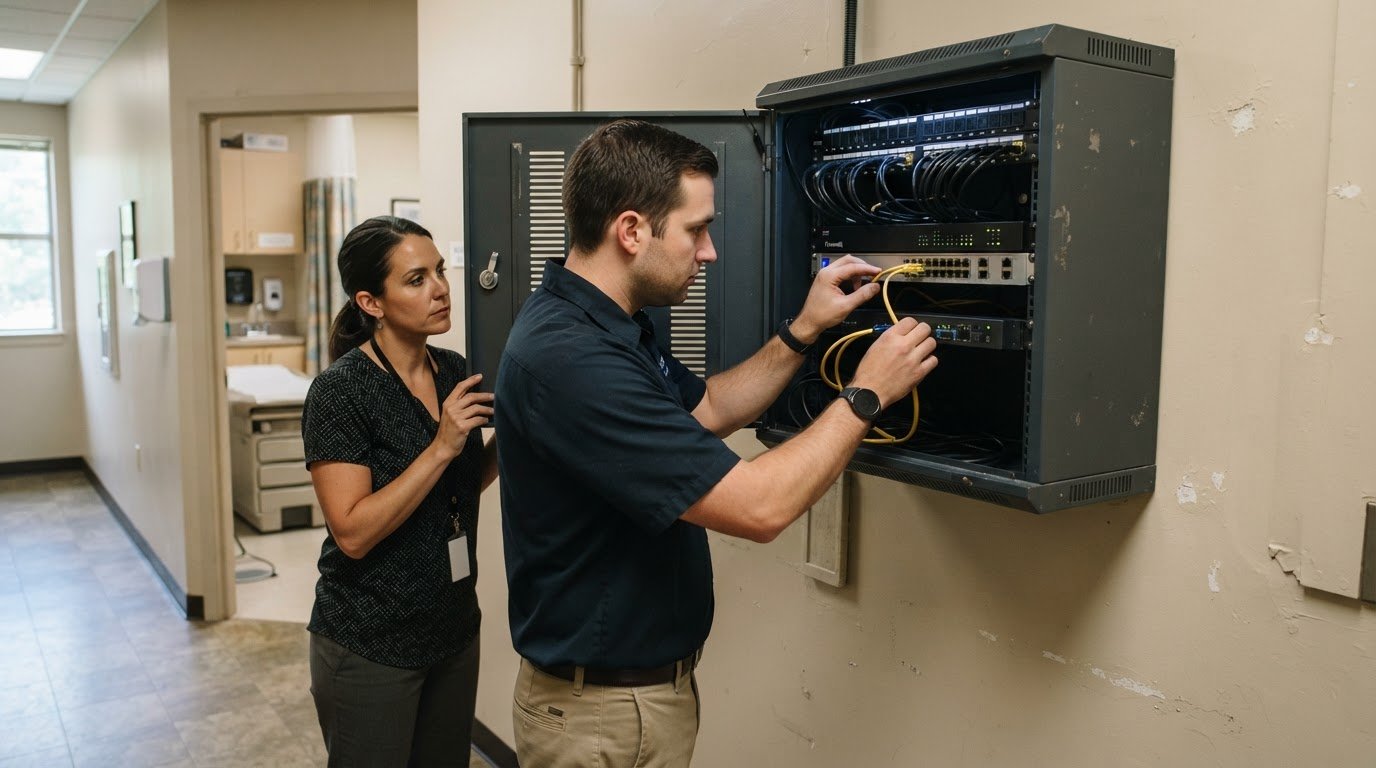



What if stronger protection for a medical practice starts with securing everyday access, not just the network? For healthcare organizations in the region, specialized healthcare it services asheville nc can coordinate identity, device, email, and network security while helping keep the technology staff rely on working smoothly. Through Carolina IT Group, protecting patient information and avoiding disruption take more than a single security tool.
This article explains how managed IT and layered security can support medical practices and other local businesses, delivered through our core service hubs in Greenville, Raleigh, and Wilmington. You’ll learn what protection across accounts, devices, email, and networks involves, what to consider when choosing support, and how to match next steps to your organization’s needs.
Key Takeaways
- Map the systems staff rely on for daily care to understand where downtime could interrupt practice operations.
- Look at security as connected safeguards for user access, devices, messages, and network traffic, not as a single tool.
- Assess managed IT support by how it handles maintenance, backups, security risks, and the needs of your organization.
- See how Carolina IT Group’s managed IT, cybersecurity, backup and disaster recovery, and cloud services can support business technology needs.
Healthcare IT for medical practices and providers
Healthcare IT supports the systems medical organizations use to schedule visits, manage records, communicate, and protect information. Mission Health’s Western North Carolina network includes six acute care hospitals and other care sites. Independent offices, specialty clinics, and hospitals have different technology needs shaped by their staff, workflows, and patient services.
Technology needs vary by specialty. A primary-care office may rely on appointment and electronic record systems, while an imaging practice needs dependable access to image files. Behavioral health and dental offices also use specialized patient records and communication tools. Reviewing applications, devices, and staff access roles helps identify where technical support should focus.
To compare providers, assess the support they cover, their healthcare-related experience, and how they communicate. Check whether support includes devices, email, networks, access controls, and compliance processes. Reviews can offer context about communication and issue handling.
HIPAA-related safeguards and North Carolina data privacy obligations shape how patient information is handled. IT planning should address who can access records, how devices and email are protected, and how incidents and recovery are managed. Appropriate measures depend on the organization’s role, information, and systems.
Healthcare cybersecurity focuses on practice-specific risks, including patient records accessed through staff accounts, devices, email, and networks. Look for relevant healthcare experience and clear processes for compliance support. A provider’s expertise and its service coverage are separate considerations.
For Asheville, Hendersonville, or Waynesville practices, compare providers’ stated coverage by city. A managed IT support services model can clarify routine responsibilities, but the service area must be assessed separately from the service description.
Managed IT and cybersecurity for Asheville businesses
Managed IT makes routine technology care part of a planned process. For a Western North Carolina business, this can include monitoring network infrastructure, maintaining systems, and addressing technical issues before they disrupt work. A clinic, for example, depends on staff being able to access scheduling and record systems throughout the workday.
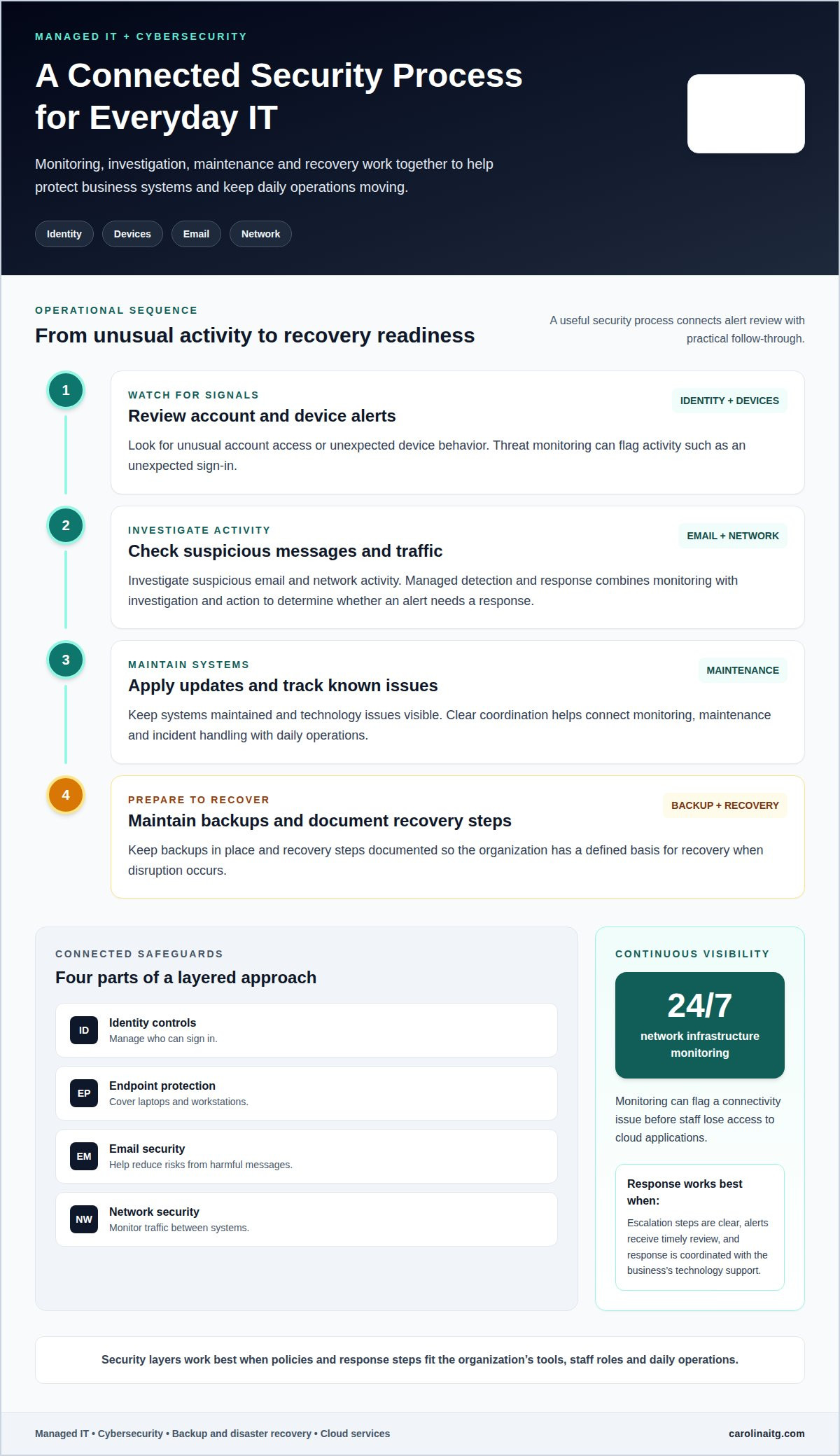
Cybersecurity adds safeguards to the ways people and systems connect. Identity controls manage who can sign in; endpoint protection covers laptops and workstations; email security helps reduce risks from harmful messages; and network security monitors traffic between systems. These layers work best when policies and response steps suit the organization’s tools and staff roles.
Threat monitoring looks for unusual activity, such as an unexpected sign-in or suspicious network traffic. Managed detection and response combines monitoring with investigation and action to determine whether an alert needs a response. Its value depends on clear escalation steps, timely review, and coordination with the business’s technology support.
For example, a useful security process can include:
- Reviewing alerts for unusual account access or device behavior.
- Investigating suspicious email and network activity.
- Applying updates and tracking known technology issues.
- Maintaining backups and documenting recovery steps.
Network infrastructure monitoring can run continuously to help prevent downtime. For example, 24/7 monitoring can flag a connectivity issue before staff lose access to cloud applications. Managed IT and cybersecurity support are most useful when monitoring, maintenance, and incident handling connect to daily operations.
For businesses in Greenville, Raleigh, or Wilmington seeking support with these needs, discuss managed IT and cybersecurity support.
Which healthcare IT services providers serve Asheville, NC?
An Asheville practice may consider local, regional, or remote-first providers for healthcare IT support. Service models vary: some manage routine systems remotely, while others coordinate onsite work for equipment or network issues. Compare stated coverage with your practice’s locations, applications, and staff workflows.
Start by reviewing the scope of support you need. List the systems your team relies on, such as appointment scheduling, electronic records, billing, and imaging, then match each need to a support responsibility. A provider should explain who manages user access, device issues, software updates, and coordination with application vendors.
- Coverage: Clarify which cities receive remote and onsite support.
- Healthcare experience: Discuss familiarity with clinical workflows and sensitive records.
- Service boundaries: Establish what the IT team manages and what software vendors handle.
- Communication: Agree how staff report incidents and receive status updates.
For example, a practice with several sites may need consistent account setup and support across locations. An independent office may prioritize help with its core scheduling and record systems. Clear ownership helps prevent delays when an issue involves networks, devices, and software vendors.
Compare providers using the same scenarios, such as a locked staff account, a failed workstation, or a disrupted clinical application. Their explanations can show how they assess impact, assign responsibility, and update staff. Reviews add context about communication, but they don’t replace a clear service scope. Service territory matters too: Carolina IT Group’s local support is centered on Greenville, Raleigh, and Wilmington, not Asheville-specific coverage.
For businesses in Greenville, Raleigh, or Wilmington reviewing technology support, discuss your IT support needs.
Compare providers by the systems and support tasks they cover, their familiarity with clinical workflows and sensitive records, and how clearly they explain incident handling. Reviews can offer context about communication, but consider them alongside a clear service scope.
Healthcare IT support for Asheville practices may come from local, regional, or remote-first providers. Compare each provider’s stated coverage with Asheville and your practice’s other locations. Carolina IT Group’s local support is centered on Greenville, Raleigh, and Wilmington.
Carolina IT Group
Carolina IT Group helps businesses coordinate day-to-day technology support and security. For an Asheville practice managing staff accounts, devices, clinical applications, and business data, support should reflect how those systems work together.
Managed IT Services and Cybersecurity address ongoing technology and protection needs, while Backup and Disaster Recovery and Cloud Services support data resilience and access. Start with a conversation about your current systems, operational priorities, and the issues that interrupt staff work. Support can then be shaped around your organization’s needs.
If your practice is reviewing its technology support, contact Carolina IT Group to discuss your needs.
Set a Clear Next Step for Your Practice
Start by identifying the technology issue that most affects your practice: disrupted access, unclear security responsibilities, or concern about restoring data after an interruption. That priority gives the next conversation a practical focus and helps shape support around your workflows. Healthcare IT services in Asheville, NC, should connect technology decisions with the work your staff needs to do each day.
Carolina IT Group offers Managed IT Services, Cybersecurity, and Backup and Disaster Recovery to help businesses address technology support, protection, and data resilience. The right combination depends on your organization’s needs, systems, and priorities.
Ready to discuss a practical next step for your business? Contact Carolina IT Group to start the conversation.
Frequently Asked Questions
Ready for IT that actually works in Asheville?
Start by identifying the daily task technology must support, such as scheduling, accessing records, or sending referrals. When evaluating healthcare IT services in Asheville, NC, compare support coverage, experience with clinical software, and how incidents are communicated. Carolina IT Group’s local service areas are Greenville, Raleigh, and Wilmington.
What To look for in an IT Support partner?
Look for clear issue ownership, plain-language updates, and support that accounts for clinical workflows. For example, if a workstation can’t open a records system, the support process should clarify who investigates the device and who coordinates with the software vendor. Ask how access changes, staff departures, and technology changes are documented so responsibilities stay clear.
What healthcare IT services are available to Asheville medical practices and hospitals?
Practices and hospitals commonly need ongoing IT support, cybersecurity, backup and recovery planning, cloud services, and help coordinating business systems. A clinic might need support for staff accounts and workstations, while a hospital may need technology teams to coordinate across departments and applications. Service scope varies, so define the systems and workflows that need support before evaluating options.
Do Asheville healthcare IT companies provide 24/7 help desk and onsite support?
Support hours and onsite availability vary by provider, and continuous monitoring isn’t the same as a 24/7 help desk. Carolina IT Group provides 24/7 network monitoring and local help desk and on-site support in its stated markets: Greenville, Raleigh, and Wilmington. For Asheville, distinguish remote monitoring, live help-desk response, and onsite visits when reviewing service coverage.
How can an Asheville healthcare practice choose and vet an IT services provider?
Use a realistic scenario to assess a provider’s process, such as a new clinician needing secure access or a practice restoring a file. Ask who handles each step, how updates reach staff, and how recovery is tested. Discuss the provider’s healthcare experience and where IT support ends and clinical software vendors’ responsibilities begin. Clear answers help show whether the service fits your workflow.

President & CEO
I hope you enjoyed this article. My mission is to take your stress away from dealing with IT problems. Call (252) 565-1235 or send me a message at our contact us page if you have a question, comment or want help.



Leave a Reply
You must be logged in to post a comment.