
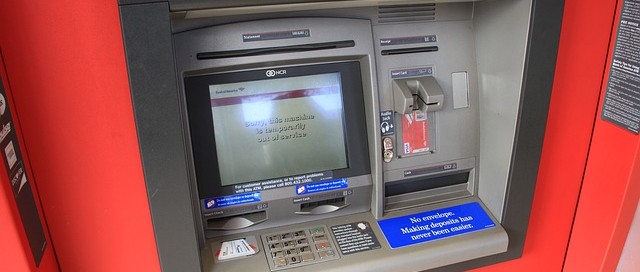
Today’s world is far from the wild west, but bank robbers are still rampant and constantly after your money. The only difference is there tactics are far more technologically advanced. Criminals gain access to your bank account via ATM machines and some sneaky skimming of your money. These criminals use a combination of advanced card readers attached to the machine to capture your card information and small hidden cameras to snag your pin number. These cyber criminals then sell your information to third parties who copy your card and drain your account. This billion dollar bank robbing business is growing every year.
To help you protect your pin, card and money, here are a few tips to blank the cyber bank robbers:
- Slight of Hand – Always make sure to cover the number pad with you hand when entering your pin. When it comes to breaking into your bank account, the cyber criminals will have no luck with no number.
- Attention to Detail – Scope out the ATM before using it. Does anything look out of place or like it doesn’t belong? If there seems to be an “extra” piece of machinery, see if you can remove it. Because it most likely doesn’t belong. If there is excessive signage, mirrors or other “attachments” on the machine, then just avoid it completely.
- Watch Your Back – This is an ATM tip that has been around as long as the machines themselves have, and it still applies. Do you best to avoid an ATM that is located in an isolated location, or an area with poor lighting. And if you find yourself in that situation, keep alert of your surroundings.
- Don’t Stall to Make the Call – If an ATM looks like it could be a threat, or that criminals have possibly tampered with it, then let the necessary officials know. Don’t hesitate to notify the bank and law enforcement officials right away.

President & CEO
I hope you enjoyed this article. My mission is to take your stress away from dealing with IT problems. Call (252) 565-1235 or send me a message at our contact us page if you have a question, comment or want help.
 Do you use any of the following Chrome browser extensions?
 Does your company utilize either RackSwitch or BladeCenter networking switches? Are those switches running ENOS (the Enterprise Network Operating System)? If so, there’s a backdoor in your network you weren’t aware of. Even worse, it’s been there since 2004.
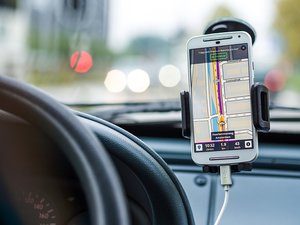 A duo of researchers stumbled across a series of vulnerabilities in literally hundreds of GPS services that leave sensitive GPS tracking data open to hackers. Dubbed “Trackmageddon” by the researchers, the vulnerabilities span a range of weaknesses that include default or easy-to-guess passwords, IDOR (Insecure Direct Object Reference) issues, insecure API endpoints, and data collection folders that are entirely unsecured.
 There’s a constant tug of war playing out on the national stage. On one side, privacy advocates are pushing for greater autonomy for end users, and hard limits to the types of searches that law enforcement agencies are allowed to conduct.
 Remember the KRACK WiFi (WPA2) vulnerability, discovered by Mathy Vanhoef? It turns out that his discovery was a catalyst for action. Recently, the WiFi Alliance, which is the industry’s standards organization, released details about its new WPA3 protocol.
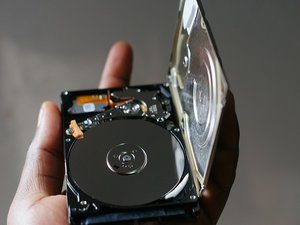 What’s an HDD manufacturer to do when faced with competition by faster, more efficient SSD drives?
 Recently, a group of investors wrote an open letter to Apple, urging the company to do more in regards to offering better and more robust parental controls on the devices the company makes. Although the group of investors control some $2 billion in Apple stock, this is a drop in the proverbial bucket, given the company’s $900 billion market cap. Nonetheless, the letter seems to have gotten Apple’s attention.
 Did you purchase an HP laptop between December of 2015 and December of 2017? If so, then you may have problems.

