
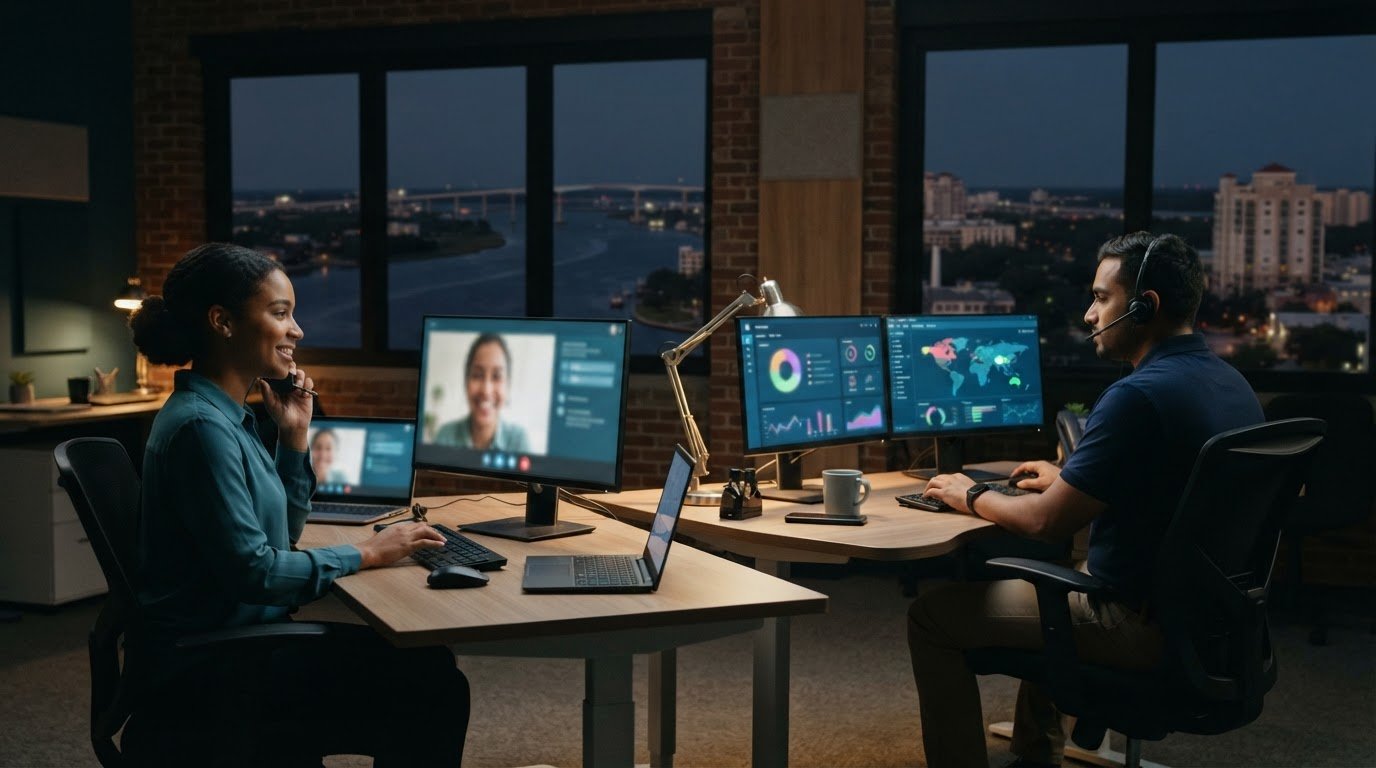



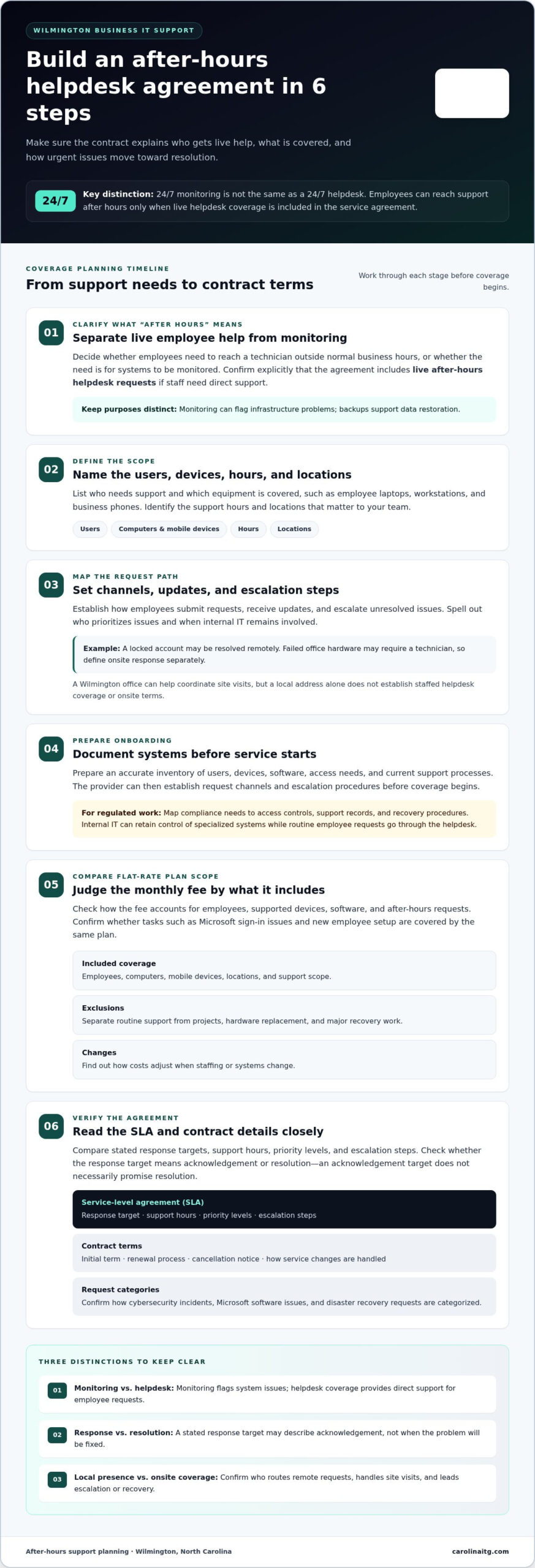
A 24/7 monitoring promise and a 24/7 helpdesk aren’t the same thing. Employees can reach support outside normal business hours only when the service agreement includes after-hours helpdesk coverage. For businesses comparing 24/7 IT helpdesk services in Wilmington, the key is understanding whether the service covers live employee requests, system monitoring, or both.
Growing businesses need clear answers about who can help when a technical problem interrupts work after hours. This guide explains what after-hours access means, how flat-rate pricing and contract terms are structured, and what local Wilmington service may include. You’ll also learn how to match support coverage to your team’s needs without confusing proactive monitoring with direct helpdesk support.
Key Takeaways
- Define which employee issues need live help after hours, and distinguish those requests from routine monitoring.
- Compare flat-rate plans by their included users, devices, support scope, and exclusions, not by the fee alone.
- Review contract terms for coverage hours, escalation steps, renewal conditions, and how support can change as your team grows.
- Consider how Wilmington-based business needs shape onsite coordination, remote assistance, security, and recovery planning.
Support for growing businesses and internal IT teams
Growing teams need clear routes for urgent issues, routine requests, and compliance tasks. Define coverage by user, device, hours, and escalation path.
Remote and On-Site End-User Assistance
A 24/7 plan can provide remote help after hours, with on-site response defined separately. For example, a locked account may be resolved remotely, while failed office hardware may require a technician. Review when onsite support applies, how urgent cases are escalated, and whether internal staff remain involved. Local support in Wilmington can also help coordinate visits around business operations.
Helpdesk Coverage for Computers and Mobile Devices
Remote helpdesk support can address login problems, software errors, email access, and mobile device setup. Make clear which devices are covered, such as employee laptops, workstations, and business phones. Find out how staff submit requests, receive updates, and escalate unresolved issues. A consistent process helps employees get support across devices and shifts.
Both local and national providers can deliver remote support. A provider serving Wilmington may coordinate local site visits, while a national team may support multiple locations through centralized operations. Compare coverage, escalation steps, and onsite terms rather than relying on provider size alone.
Onboarding begins with documenting users, devices, software, access needs, and current support processes. The provider establishes request channels and escalation procedures before coverage starts. Prepare an accurate inventory of your systems and records to help prevent setup gaps.
For regulated industries, map compliance needs to access controls, support records, and recovery procedures. Internal IT teams can retain control of specialized systems while routing routine employee requests through a managed helpdesk. Review managed IT support services in relation to the tasks your team needs covered.
Flat-rate pricing and contract terms
A provider offers response-time commitments when its service-level agreement (SLA) spells them out. Compare Wilmington agreements for stated response targets, support hours, priority levels, and escalation steps. A response target describes acknowledgement, not necessarily resolution, so check both terms.
Flat-rate pricing can make recurring tech support easier to budget, but the scope is key. Review how the monthly fee accounts for employees, supported devices, software, and after-hours requests. For example, clarify whether Microsoft sign-in issues and new employee setup are covered by the same plan. The quote depends on the users, systems, and support scope involved.
- Coverage: Identify included employees, computers, mobile devices, and locations.
- Exclusions: Separate routine support from projects, hardware replacement, or major recovery work.
- Changes: Learn how costs adjust when staffing or systems change.
Read the contract for its initial term, renewal process, cancellation notice, and how service changes are handled. Confirm how cybersecurity incidents, Microsoft software issues, and disaster recovery requests are categorized. These details help a Carolina business plan for support as operations grow, rather than treating every request as identical.
A strategic partner should make responsibilities clear: what employees report, who prioritizes issues, and how updates arrive. Compare those terms before choosing an agreement. For help discussing support needs and contract scope, share your IT support requirements.
Local Wilmington office
A Wilmington office can make local coordination easier, but an address alone doesn’t define support coverage. For a North Carolina organization, distinguish a local point of contact from a staffed helpdesk. Ask how remote requests are routed, who handles onsite visits, and how after-hours response differs from daytime service. Those details show whether local presence supports daily operations or mainly provides a nearby location.
Consider a practical example: a staff member can’t access a shared file before opening. A remote technician may diagnose account or network access, while an onsite visit may help if office equipment needs attention. The service agreement should explain how requests are prioritized and escalated, and how updates are shared. Clear ownership helps internal teams coordinate without losing track of the issue.
Local knowledge matters when technical work depends on the site. A technician familiar with the office can coordinate with staff on device access, network equipment, or a recovery plan after a disruption. Monitoring and backup planning serve different purposes: monitoring can flag infrastructure problems, while backups support data restoration. A disaster recovery plan should identify who leads each step.
Before choosing support, map your Wilmington locations, critical devices, and business hours. Match each need to a response path: remote troubleshooting, onsite assistance, or escalation to internal IT. This inventory can reveal gaps between local access and actual coverage, while helping a support partner understand what must be resolved first during an interruption.
To discuss support for your Wilmington operations, share your local IT support needs.
Carolina IT Group: Managed IT Services
Carolina IT Group helps businesses manage day-to-day technology needs and plan for the longer term. Turn to its Managed IT Services when routine IT demands stretch internal staff or leave support gaps. Cybersecurity helps address risks to business systems, while Backup and Disaster Recovery supports data protection and recovery planning. Cloud Services can support organizations reviewing how they manage business technology.
Before discussing support, outline your current systems, employee needs, and recurring challenges. Note where security concerns, backup planning, or cloud use affect operations. This gives the conversation a practical starting point and helps connect services to your business priorities.
Contact Carolina IT Group to discuss your business’s IT needs.
Make Your Next IT Decision With Confidence
Choose support around the way your team works, not around a generic service description. Before deciding on 24/7 IT helpdesk services in Wilmington, identify the technology problems that interrupt work most, the systems that need protection, and where your employees need clearer support. These priorities can guide a practical conversation about coverage and next steps.
Carolina IT Group offers Managed IT Services for ongoing technology needs, Cybersecurity to help protect business systems, and Backup and Disaster Recovery for data protection and recovery planning. Start with the issue affecting your operations today, whether it’s support demands, security concerns, or recovery readiness.
Bring your priorities and questions to the conversation. Contact Carolina IT Group to discuss your business’s IT needs and take a clear next step toward more dependable operations.
Frequently Asked Questions
Can employees contact support outside normal business hours?
Yes, employees can contact support after hours when live helpdesk access is included in their agreement. This is separate from automated network monitoring, which can flag infrastructure issues without an employee contacting a technician. Before relying on after-hours help, identify how staff report problems, such as a blocked payroll login, and which issues receive priority.
Is 24/7 support only for emergencies?
No, round-the-clock support can cover routine requests as well as urgent incidents, depending on the agreed service scope. An employee working late might need help restoring access to a business application, while a suspected security incident may require escalation. Clear request categories help employees report issues appropriately and help internal IT teams track recurring problems.
What does 24/7 IT helpdesk service include for businesses in Wilmington?
Coverage can include employee helpdesk requests, technical troubleshooting, and network monitoring, with the exact scope set by the service agreement. For a Wilmington business, consider how requests involving a business application, account access, or a network interruption are handled. Managed IT Services can include proactive maintenance, while cybersecurity and backup planning address separate risks.
How much do managed IT helpdesk services cost in Wilmington, North Carolina?
Managed IT service pricing depends on the business’s users, devices, support scope, and included services. To get a useful quote, describe your operating needs, existing systems, and whether cybersecurity or backup services should be included. This frames the discussion around your organization’s actual support requirements.
Do Wilmington helpdesk providers support remote and on-site IT issues around the clock?
Remote troubleshooting and onsite visits are different forms of support. Access to remote help around the clock doesn’t automatically mean onsite work is available at all hours. A remote technician may address a software access issue, while equipment problems at an office may require an onsite visit. Review how each type of request is handled and escalated under the service agreement.

President & CEO
I hope you enjoyed this article. My mission is to take your stress away from dealing with IT problems. Call (252) 565-1235 or send me a message at our contact us page if you have a question, comment or want help.



Leave a Reply
You must be logged in to post a comment.