
 Microsoft hasn’t been terribly impressive lately when it comes to Windows 10 updates. In fact, it’s fair to say that they’ve been a complete mess. Just recently, they’ve issued updates that have deleted user files and caused crashes after creating incompatibilities with keyboard drivers. Now, (courtesy of the most recent Windows 10 update), many users are reporting that they’ve got no sound due to corrupted or incompatible audio drivers.
The company has made hasty corrections to their previously botched updates and patches, but as yet, there has been no official word from the company about a fix for the audio driver issue. The legions of Windows 10 users aren’t happy about it, and are taking to social media to express their displeasure.
All over Reddit and Twitter, dissatisfied Windows 10 users are up in arms about the string of shoddy updates that have created more problems than they have solved.
Since Microsoft hasn’t released a fix for the latest debacle, the company’s massive user base has begun investigating and have come up with a workaround.
In a nutshell, if you’ve installed the latest Windows 10 update and lost your audio as a result, go into your device manager and look for an audio driver that has “SST” as part of the name. If you find one on the list, right click that device and select “Update Driver.” Once the driver has been updated (which may require a system restart), your audio functionality should be restored.
As mentioned at the start, this isn’t the first time the company has issued a botched update, and the problems only appear to be getting worse over time. It seems clear at this point that Microsoft doesn’t have enough support staff to identify and prioritize bugs reported by their army of beta testers. Until that changes, we can expect issues like this to continue.

President & CEO
I hope you enjoyed this article. My mission is to take your stress away from dealing with IT problems. Call (252) 565-1235 or send me a message at our contact us page if you have a question, comment or want help.
 Microsoft is having problems, and those problems are spilling out onto the company’s massive user base. In a highly unusual move, the company pulled its latest Windows 10 update after receiving numerous complaints from users about missing files.
 Windows 10 is far and away the fastest growing version of the OS in the company’s history. It recently hit an installation base of a staggering 700 million devices after about three years on the market.
 Microsoft has been making two major Windows 10 releases every year, giving businesses 18 months before they need to move to the next update. This plan and schedule is part of the company’s “Windows as a service” paradigm, designed to ensure that Windows 10 gets new features, as opposed to the company’s former practice of a new Windows release every three years.
 Microsoft has made numerous ventures into the smartphone ecosystem, but so far, they’ve only been met with limited success. This time, they’re trying something a little different.
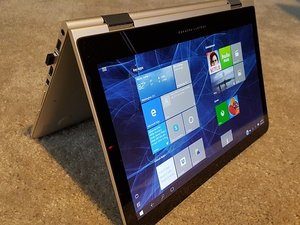 If you’ve used Windows 10 for any length of time, you’ve probably had this happen to you. You’re right in the middle of working on something important, and all of a sudden, your OS decides it would be a great time to install some updates!
 Do you use Cortana? It’s a handy virtual assistant (like Siri) built into Windows 10. Unfortunately, as useful as she is, there’s a problem. Even if you don’t use Cortana yourself, take heed: Microsoft has recently issued a security update based on findings by McAfee researchers.
 Big changes are coming from Microsoft starting in July (exact date unknown), and it has potentially dire implications if you’re using some of the company’s older technology.
 Karanbir Singh (a program manager at Microsoft) is on a mission:
 Microsoft has been having some “issues” of late. It’s April Windows 10 rollout had to be delayed on account of some mysterious BSOD (“Blue Screen of Death”) issues. This month’s rollout is plagued by similar problems, trading the BSOD issues for problems with both “Hey Cortana” and Google’s Chrome browser.

