Knowing what to do when your IT guy quits starts with a structured handoff. Agree on a transition plan, document critical systems, vendor relationships, recurring tasks, and responsibilities, and allow the successor time to understand how technology supports daily work.
Keep communication respectful and specific, even when the news is sudden. Clarify open projects, account access, documentation, and the safest order for transferring responsibility. Maintain essential support and protect sensitive information throughout the transition.
This guide explains how to manage the departure professionally, identify the knowledge a successor needs, organize practical training, and maintain continuity with outside IT support when appropriate, from the resignation conversation through the final handoff.
Key Takeaways
- Give a successor structured training on essential systems, recurring tasks, and open projects.
- Plan access removal so company accounts, devices, and systems remain protected during the transition.
- Secure passwords, MFA, administrator accounts, and encryption keys as responsibility changes hands.
- Managed IT and cybersecurity support can help maintain continuity while your team adjusts.
Training a Successor
A practical plan for what to do when your IT guy quits begins with a respectful handoff and clear priorities. Have the successor carry out key tasks while the departing employee explains each step.
-
How a professional collects IT documentation and asset inventory during the handover
Ask the departing employee to document devices, software, vendors, open tickets, and recurring tasks. Record system owners, renewal dates, backup locations, logs, email systems, and where business data is stored.
-
How a professional secures and transfers passwords, MFA, admin accounts, and encryption keys
Transfer credentials through secure storage, replace shared passwords, and set up successor-controlled MFA. Assign admin accounts to named owners; document encryption-key access and recovery.
-
What a professional includes in an IT offboarding and knowledge-transfer checklist
List unfinished work, vendor contacts, device returns, and responsible owners. Track access removal, backup status, and training, while preserving email, logs, and business records.
-
Choose an IT Support Successor
If you’re deciding what to do when your IT guy quits, match support to your workload. A managed service provider can handle ongoing support, a contractor can take on defined projects, and an employee can manage daily internal needs. Compare expertise, continuity, and vendor oversight.
Discuss training and timing with the departing employee to support a smooth handoff. Clarify what knowledge needs to be transferred, which tasks should be prioritized, and how much time is available before their departure. Ask whether they can train the successor on key responsibilities and leave time for questions. Agree on a realistic schedule and document the handoff plan so both sides understand their responsibilities and expectations.
Revoke the Departing IT Employee’s Access
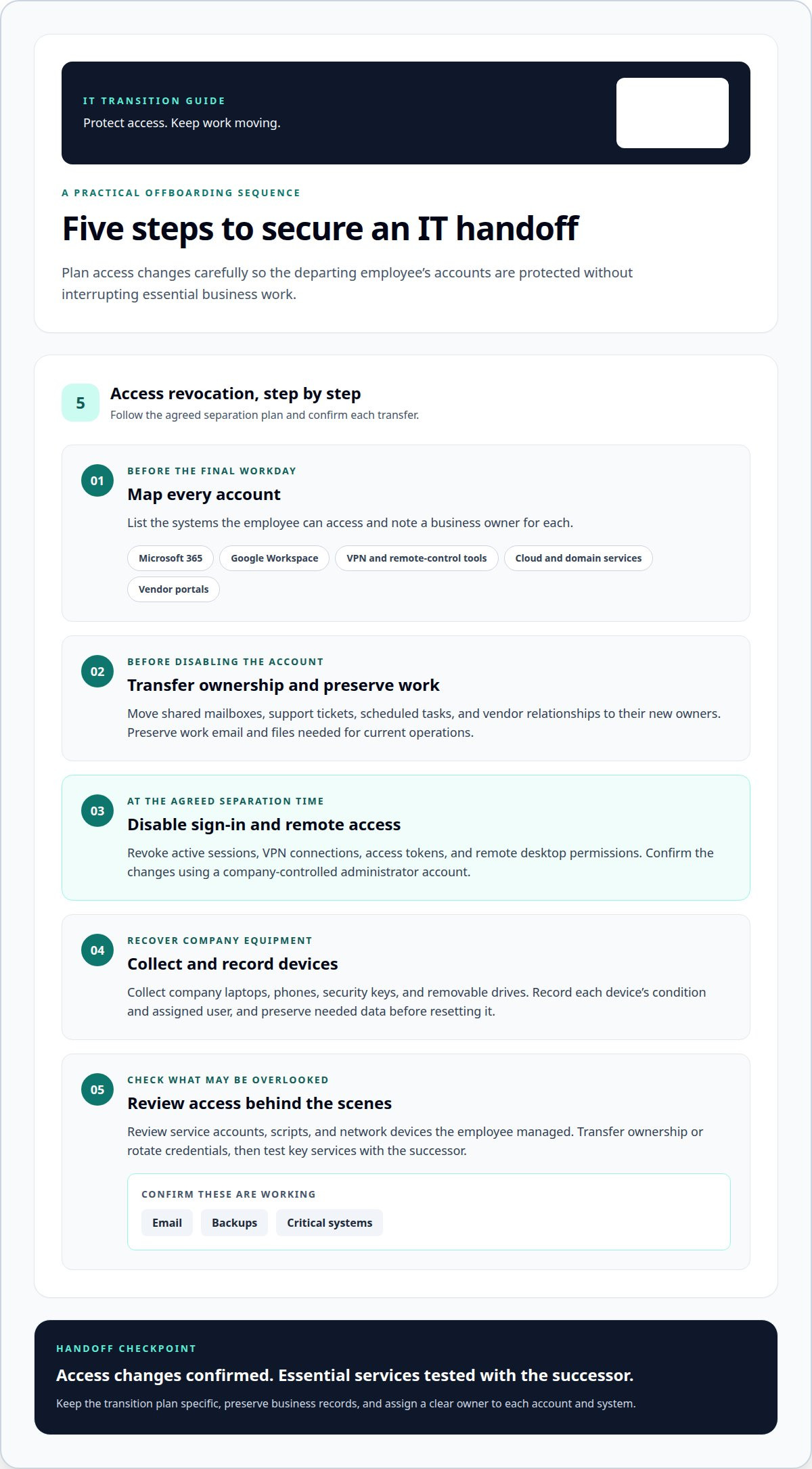
When deciding what to do when your IT guy quits, map account access before the final workday. Plan when and how to revoke access so you protect systems without disrupting essential business tasks.
- List accounts the employee can access, including Microsoft 365, Google Workspace, VPN, remote-control tools, cloud consoles, domain services, and vendor portals. Note each business owner.
- Transfer ownership of shared mailboxes, support tickets, scheduled tasks, and vendor relationships. Preserve work email and files needed for current operations before disabling the employee’s account.
- At the agreed separation time, disable sign-in and remote access. Revoke active sessions, VPN connections, access tokens, and remote desktop permissions. Confirm the changes using a company-controlled administrator account.
- Collect company laptops, phones, security keys, and removable drives. Record each device’s condition and assigned user, and preserve needed data before resetting it.
- Include access revocation in your plan for what to do when your IT guy quits. Review service accounts, scripts, and network devices the employee managed. Transfer ownership or rotate credentials, then test email, backups, and critical systems with the successor.
Secure Passwords and MFA
- Move shared credentials into a company-controlled password manager before transferring responsibility. Inventory accounts for email, domain registration, Wi-Fi, cloud storage, backup consoles, and vendor portals. Never send passwords by email or chat.
- Replace reused, exposed, or personally known passwords with unique credentials. Prioritize administrator accounts, email, remote access, and backup systems. Have the successor confirm that each new login works before the departing employee’s access ends.
- Update MFA for every critical service, including Microsoft 365, Google Workspace, and cloud consoles. Remove the departing employee’s phone, authenticator app, and recovery email. Enroll a company-controlled method, then test a sign-in.
- Keep recovery codes in restricted company storage, separate from the accounts they protect. Give access to authorized administrators rather than tying it to one person’s personal device. Document who can retrieve the codes during an outage or lockout.
- Review service accounts and saved credentials in scripts, browsers, and network devices. Rotate exposed secrets, then check connected applications for errors. Record the new owner and storage location, but never include secret values in handover notes.
Transfer Admin Accounts and Encryption Keys
- Inventory administrator accounts for Microsoft 365, cloud platforms, domain registration, firewalls, and backup consoles. Record each account’s purpose, current owner, recovery method, and systems it controls.
- Create named administrator accounts for the successor instead of sharing the departing employee’s login. Grant only the permissions needed for assigned duties, and maintain a separate, controlled emergency account.
- Transfer encryption keys through approved secure storage, not email, chat, or handover documents. Record which files, devices, backups, or services each key unlocks, and restrict access to authorized administrators.
- Review key recovery procedures before removing the former employee’s access. Confirm that another authorized person can retrieve the required keys and restore encrypted files or backups if the successor is unavailable.
- Test the transfer with the successor. Have them access an administrative console and complete a controlled recovery task, such as restoring a test file. Review audit logs for successful access and unexpected permission gaps.
How Carolina IT Group Can Help
Carolina IT Group supports businesses in Greenville when an IT staffing change leaves technology responsibilities unclear. Its Managed IT Services provide ongoing support as your business assigns ownership and settles into a new arrangement.
Cybersecurity helps keep protection priorities aligned with changing operations and sensitive information. Backup and Disaster Recovery supports data protection and planning for restoring access if important files or systems become unavailable. Together, these services extend transition planning to address continuity and risks beyond a single employee.
Cloud Services can help manage cloud-based tools and information as responsibilities shift between staff or support teams. Carolina IT Group can shape an approach around your current systems and priorities, whether you need to stabilize existing support or plan longer-term coverage. A clear scope aligns technical work with business needs while limiting disruption.
If you need support planning next steps, contact Carolina IT Group to discuss your business priorities and the support your team needs during the transition.
Outline your current systems, business priorities, and transition support needs, then discuss them with Carolina IT Group. Review whether the proposed scope addresses continuity, security, backup and recovery, and cloud oversight without unnecessary disruption.
Frequently Asked Questions
What should a business do immediately when its IT administrator resigns?
First, appoint an interim decision-maker for technology issues and identify time-sensitive, business-critical work, such as payroll, patient scheduling, or order processing. Arrange a respectful handoff conversation with the departing administrator, then record urgent risks and who owns each next action. This keeps daily decisions moving while you develop the broader transition plan.
How to find and vet a managed service provider after an IT employee quits
Match support to your workload and consider expertise, continuity, and vendor oversight. Define a clear scope and assess whether it addresses continuity, security, backup and recovery, and cloud oversight without unnecessary disruption.

President & CEO
I hope you enjoyed this article. My mission is to take your stress away from dealing with IT problems. Call (252) 565-1235 or send me a message at our contact us page if you have a question, comment or want help.