
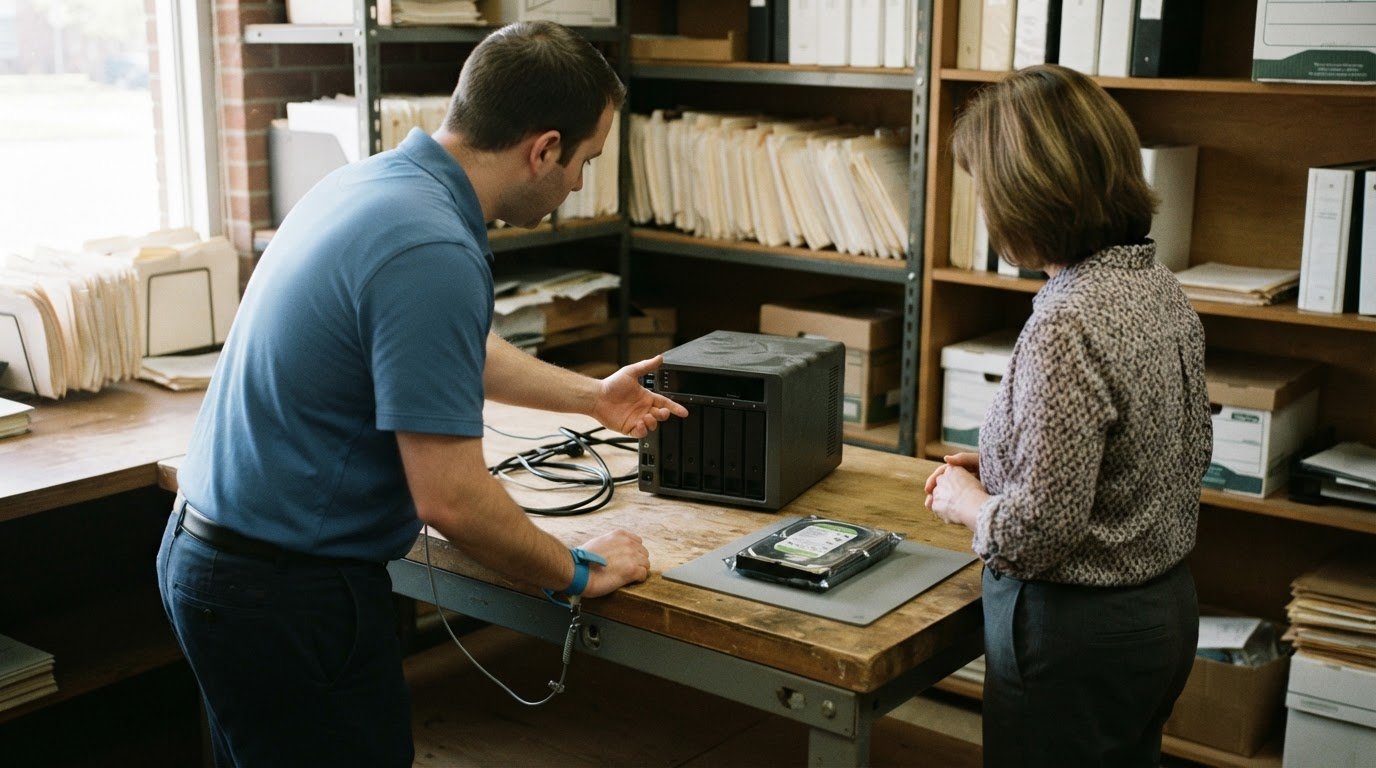



When a device fails, the right next step depends on what went wrong. Greenville data recovery services assess whether business files may be recoverable and what the process involves. The work depends on the device, the type of failure, and the condition of the stored data.
Lost records, interrupted operations, or sensitive information warrant careful handling. The cause of the failure shapes the work needed, so understanding the issue before taking further action is important.
This guide covers common causes of data loss, factors that affect recovery, and how to approach the problem in Greenville, North Carolina. It also explains how business backup and disaster recovery planning helps protect critical data.
Key Takeaways
- Recovery approaches differ across hard drives, SSDs, RAID arrays, NAS systems, and other storage devices, so the device and failure type shape the assessment.
- Recognizing whether a problem may stem from physical damage, software issues, or another cause helps explain what a recovery professional needs to evaluate.
- Choose professional help based on its ability to assess your storage setup, explain the recovery process clearly, and address your business’s operational needs.
- After data loss, limit activity on the affected device and consider how backup and disaster recovery planning can help protect business data going forward.
Data Recovery for Different Storage Devices
Hard drives use moving parts, while SSDs rely on flash memory. Failures can involve hardware or file systems. An assessment identifies the device, symptoms, and whether a computer recognizes it. RAID arrays and NAS devices need to be evaluated as complete setups because their drives may share data and configuration.
External drives, USB flash drives, camera cards, phones, and tablets may also need recovery. Here, Greenville refers to Greenville, North Carolina. The appropriate assessment depends on the type of failure.
For an assessment, provide the device type, make and model, symptoms, recent changes, and priority files. Mention clicking, overheating, disconnects, or drops, as these clues can guide diagnosis.
Physically damaged hard drives and SSDs may need professional assessment, and some repairs require cleanroom facilities. Continued power can worsen damage or reduce recoverable data, so follow diagnostic guidance on handling the device.
Security, confidentiality, and data destruction practices vary. Clarify access controls and handling before sharing sensitive files. For wider business continuity, local IT support services can address network and data needs beyond one failed device.
Common Causes of Storage-Device Failure
A hard drive may fail after a head crash, motor problem, or repeated overheating. An SSD can stop responding because of controller damage, power trouble, or worn flash cells. External drives, USB flash drives, camera cards, and phone storage can be affected by drops, liquid exposure, or connector damage. Heat, moisture, and electrical surges are common risks; a fall can damage the moving parts inside a hard drive.
Software problems can also make files inaccessible. Accidental deletion, file system corruption, failed updates, or malware may affect access without physically damaging a device. RAID arrays and NAS units can become unavailable after drive failures, changed settings, or errors during rebuilding. A device that clicks, overheats, or repeatedly disconnects may require different handling from one that simply will not mount.
A useful assessment considers storage type, interface, symptoms, encryption, and array configuration. Storage media may include HDDs, SSDs, RAID, NAS, removable drives, memory cards, phones, and tablets. Provide the model, error messages, recent changes, and any drop or liquid exposure. These details help guide diagnosis and distinguish logical corruption from mechanical damage, which can help protect the remaining data during evaluation.
For context, the median employee-size range for companies in the United States asset recovery list was 11-50 employees, a detail that may help readers understand the kinds of service providers available when evaluating recovery options. It offers a broad indicator of provider scale, though it does not describe an individual firm’s technical capabilities.
Finding Data Recovery Professionals Near Greenville
When comparing Greenville data recovery services, consider reviews, relevant experience, and how any reported success rate is defined. For businesses in Greenville, North Carolina, these criteria help distinguish data recovery expertise from general computer repair.
Provider Reviews
Reviews can indicate how a provider communicates during a stressful recovery, shares updates, and explains next steps. Look for feedback about the same type of device, such as a RAID array rather than a personal computer. Focus on recurring themes across reviews, not one especially positive or negative post. Individual accounts describe specific experiences, but cannot predict what will happen to your device.
Experience and Success Rates
Ask about experience with the failure involved, including logical corruption, physical damage, SSD controller issues, or NAS configurations. Relevant experience should match your storage setup, not just general computer repair. A success rate is useful only when its scope is clear: the devices, failure types, and attempted recoveries it covers. Compare how the assessment is explained, including whether the provider distinguishes partial file access from full recovery.
What to Do After Data Loss
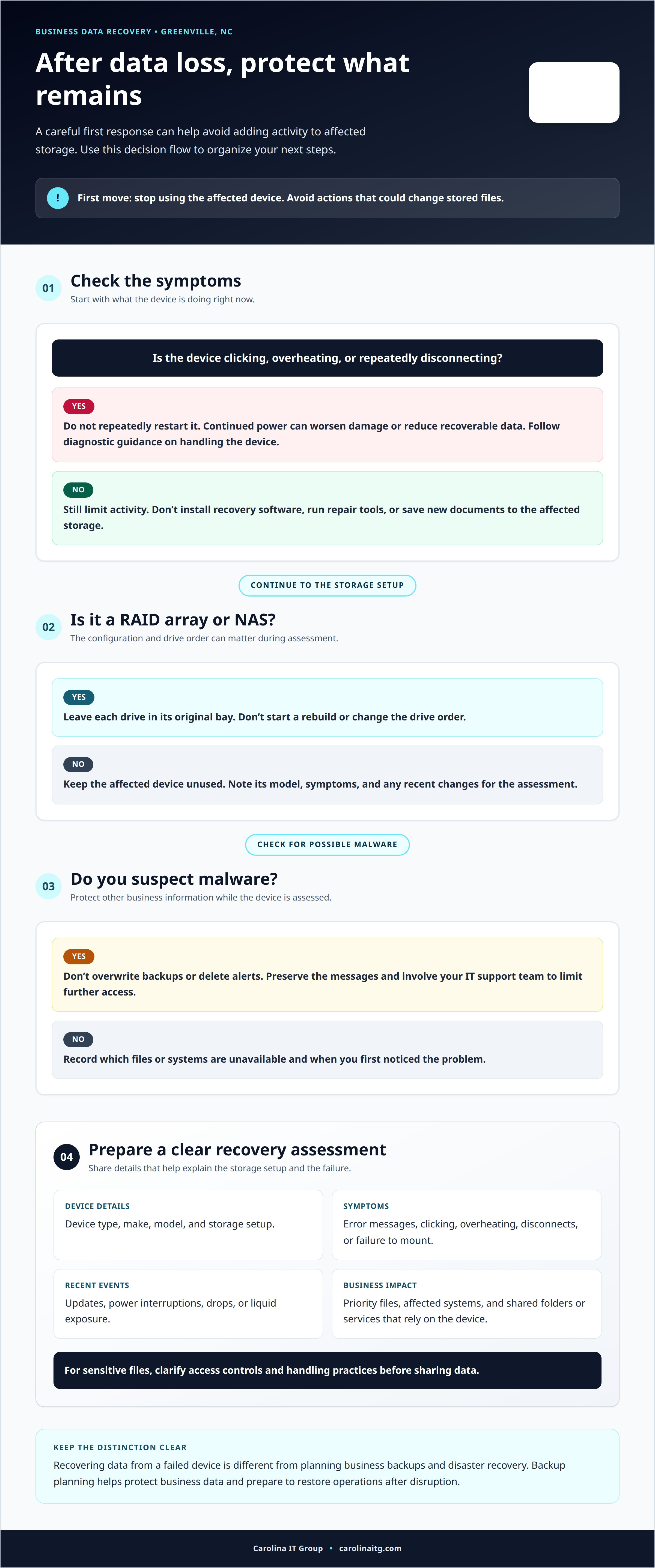
After data loss, stop using the affected device to avoid further activity changing stored files. Don’t install recovery software, run repair tools, or repeatedly restart a drive that clicks or disconnects. If a business computer still works, avoid saving new documents to the affected storage. Record which files or systems are unavailable and when you first noticed the problem.
Keep useful details for the recovery assessment. Note the device model, error messages, recent updates, power interruptions, drops, or liquid exposure. For a RAID or NAS, leave each drive in its original bay and don’t start a rebuild or change the drive order. These details help clarify the storage setup and guide the diagnostic approach.
Protect other business information while the affected device is assessed. If you suspect malware, don’t overwrite backups or delete alerts; preserve the messages and involve your IT support team to limit further access. Identify shared folders, workstations, or business services that rely on the device. A record of affected systems, symptoms, and recent changes gives the assessment a clearer starting point without adding avoidable activity to the storage media.
Carolina IT Group: Backup and Disaster Recovery
Carolina IT Group helps Greenville businesses protect company data with Backup and Disaster Recovery services. If a storage failure disrupts access, the team can assess continuity needs and plan around the backups available to your business. This helps inform decisions about restoring work.
Backup and Disaster Recovery focuses on protecting business data and preparing to restore operations after disruption. It is different from repairing a physically damaged drive, which requires device recovery expertise. Managed IT Services help maintain systems that support daily operations, while Cybersecurity and Cloud Services address related protection and storage needs. A suitable plan considers where files and applications are stored, which are critical, and how existing backups support business continuity.
A Security and Backup Audit can identify gaps in current protection and clarify where backup planning needs attention. It gives business owners a practical starting point for strengthening continuity before another device or system failure. For example, teams can map essential applications to the systems and data required to restore their work.
To discuss backup planning for your business, contact Carolina IT Group.
Frequently Asked Questions
What types of devices and data can Greenville recovery providers handle?
Data recovery assessments may cover hard drives, SSDs, RAID arrays, NAS systems, external drives, USB flash drives, camera cards, phones, and tablets. Depending on the device and failure, recoverable files may include business documents, spreadsheets, databases, email, and photos. If you need records from a work system, note the affected applications and files to help set priorities.
What affects the data recovery process in Greenville?
The recovery process depends on the device, failure type, storage setup, and data involved. A file-system issue differs from physical damage, while a RAID or NAS assessment also considers the configuration. For a business, identify the systems and files that matter most. This helps define the scope of work and prioritize information.
How do evaluations and recovery-outcome policies work?
An evaluation and a policy tied to successful recovery are separate arrangements, so don’t assume one includes the other. Written terms should explain what an assessment covers and how a provider handles cases where files can’t be restored. Carolina IT Group’s Security and Backup Audit reviews business protection needs; it does not promise to recover data from a failed device.
How long does data recovery take in Greenville, including expedited service?
Timing depends on the failure, storage device, and work required. A logical file-access issue may follow a different process from physical damage or a multi-drive RAID system. Expedited handling, if available, does not eliminate diagnostic and recovery steps. For business planning, identify essential files and systems early so the recovery team can understand what is most urgent.
Are there data recovery services near Greenville, North Carolina, or other Greenville locations?
Greenville, North Carolina, is distinct from other cities named Greenville. Carolina IT Group serves businesses in Greenville, Raleigh, and Wilmington, North Carolina. Local support needs may depend on where your business operates and where the affected systems are located. Share both locations when describing the issue, especially if your team relies on systems across multiple offices.

President & CEO
I hope you enjoyed this article. My mission is to take your stress away from dealing with IT problems. Call (252) 565-1235 or send me a message at our contact us page if you have a question, comment or want help.



Leave a Reply
You must be logged in to post a comment.