
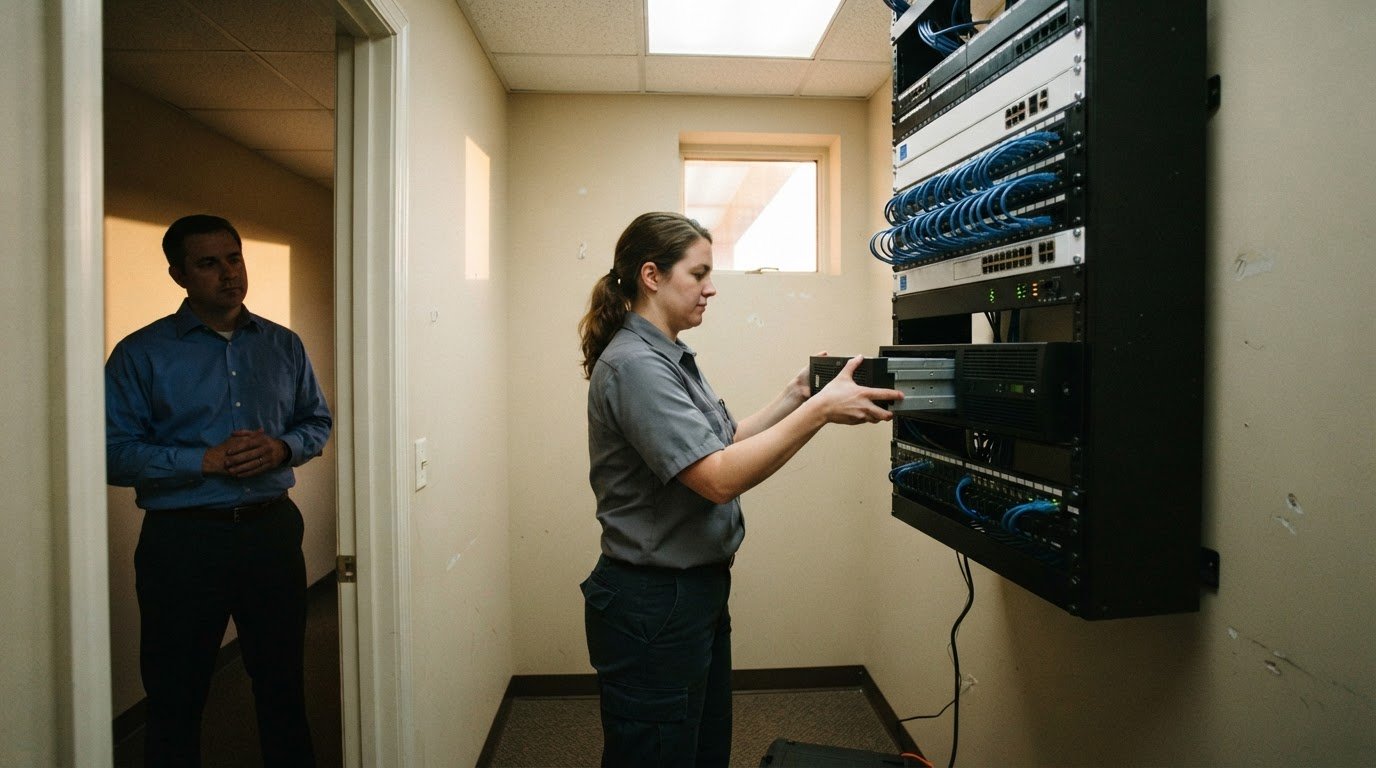



As of September 21, 2026, RevenueBase lists 29 Raleigh IT infrastructure management companies across three employee-size bands. The directory includes 19 companies with 1-10 employees, 9 with 11-50, and 1 with 51-200. That count offers a useful starting point, but it doesn’t tell you which provider is right for your business.
Choosing IT infrastructure management in Raleigh is about more than finding a nearby company. You need support that fits how your business operates, from network monitoring and maintenance to cybersecurity and help desk support. This guide explains what infrastructure management can include, how proactive upkeep can help limit disruptions, and what to consider when choosing support. It also shows how network, user support, backup, and cloud needs connect, so you can identify practical next steps for your business.
Key Takeaways
- Learn how proactive network monitoring and maintenance can help spot issues before they interrupt business operations.
- Understand how help desk support and remote IT management address employee and technology problems.
- See how Raleigh’s provider landscape is organized and what a company directory can tell you at a glance.
- Explore how managed IT, cybersecurity, backup and disaster recovery, and cloud services can support your business infrastructure.
Business network monitoring and maintenance
Businesses in Raleigh may need network monitoring, maintenance, help desk support, and cybersecurity as part of IT infrastructure management. Carolina IT Group provides Managed IT Services, cybersecurity, and cloud services for businesses in Raleigh, Greenville, and Wilmington. The right mix depends on your network, the information you handle, and the systems employees rely on.
Monitoring helps teams spot warning signs before they become outages. Remote monitoring tools can track system metrics, identify unusual changes, and support a timely response. For example, rising network errors may signal a failing connection that needs attention. A plan can include 24/7 monitoring of network infrastructure to help prevent downtime.
Monitoring is useful when it leads to practical maintenance. A provider can:
- Assess network devices and connections to locate performance or reliability concerns.
- Review alerts, investigate the cause, and resolve issues before they disrupt staff.
- Apply planned updates and check that key systems continue working together.
Cybersecurity is a core part of infrastructure management because weaknesses in networks and accounts can expose sensitive information. Network security helps protect systems and access, while email security addresses risks that arrive through employee inboxes. Businesses using cloud resources also need to consider how employees access them. The appropriate safeguards depend on how your team works and which systems hold important business data.
For IT infrastructure management in Raleigh, begin by identifying the network equipment, cloud services, users, and recurring disruptions your business depends on. This inventory helps prioritize monitoring and maintenance. Set clear procedures for reporting issues, too: employees should know where to ask for help, and support teams need enough detail to investigate. Carolina IT Group provides managed IT support, cybersecurity, and backup and disaster recovery for businesses in Raleigh, Greenville, and Wilmington.
Help desk and remote IT management
A help desk gives employees a clear route for reporting technology problems. A staff member who can’t access a shared file, for example, needs a way to report the issue and receive practical guidance. Managed IT services can connect that user support with remote management, so technicians can investigate systems without requiring an onsite visit for every problem.
A useful support request identifies what happened, which device or application is affected, and how the problem interrupts work. That information helps distinguish a single-user login issue from a wider access problem. Technicians can then focus on restoring work, recording the resolution, and identifying ways to prevent a repeat.
- Record the employee’s issue, affected system, and business impact.
- Review relevant device or account settings through remote support.
- Explain the fix in plain language and document any follow-up.
Remote management can help maintain business devices and system access. For example, a technician can review a configuration when an employee cannot reach a cloud application. Routine oversight and access controls also support secure handling of sensitive information. The right approach depends on the systems your employees use and the information they need.
Clear guidance can empower staff to resolve straightforward issues, while a help desk handles problems needing technical attention. If recurring support issues are slowing work, a discussion about IT support needs can help define the systems, users, and response process that matter most.
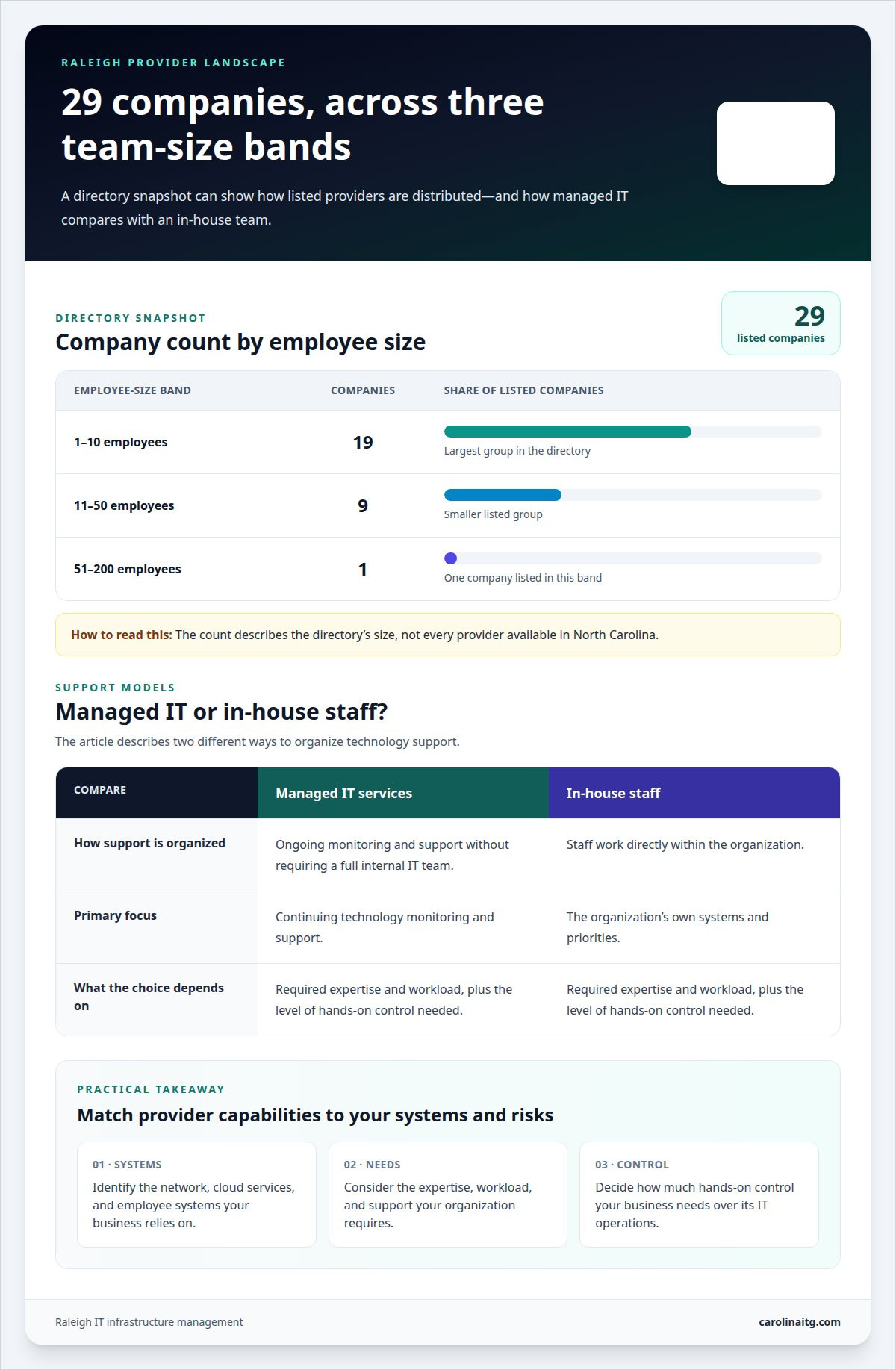
Raleigh IT infrastructure management company directory
The RevenueBase Raleigh directory lists 29 IT infrastructure management companies as of September 21, 2026. It counts 19 companies with 1-10 employees, 9 with 11-50, and 1 with 51-200. Use those figures to understand the directory’s size, not as a complete measure of every provider available in North Carolina.
Managed IT Services provide ongoing monitoring and support without requiring a business to build a full internal IT team. In-house staff, by contrast, work directly within the organization and focus on its systems and priorities. The right model depends on the expertise and workload required, along with how much hands-on control the business needs.
Cybersecurity and compliance needs vary with the information a business handles, its industry, and its customer commitments. Organizations working with sensitive health or financial data may need tailored security practices and documentation. Carolina IT Group offers HIPAA-compliant security for healthcare and SOX compliance assistance for finance, alongside cybersecurity services.
Modernization works best as a planned sequence: assess current systems, identify business priorities, design the target setup, then deploy changes in stages. For example, before moving applications to cloud services, plan access, data transfer, and testing. A staged rollout helps identify issues before changes affect more of the business.
Outsourcing can create confusion if access, responsibilities, or communication are poorly defined. Establish clear permissions, document ownership, and agree on how incidents and changes will be handled. A proactive operating plan makes responsibilities easier to follow.
In the Raleigh area, specialized needs follow the work: healthcare organizations may prioritize sensitive records, while financial firms may focus on protecting financial data. A directory helps narrow the landscape; the practical takeaway is to match provider capabilities to your systems and risks. Discuss your infrastructure needs and the support model that fits your organization.
Carolina IT Group
Carolina IT Group helps businesses in Raleigh, Greenville, and Wilmington coordinate infrastructure support, security, and continuity planning. Managed IT Services can bring ongoing technology needs into a clearer plan. Cybersecurity helps protect business systems, while Backup and Disaster Recovery supports planning for data loss or disruption. Cloud Services can support organizations that rely on cloud-based systems.
The right next step depends on your current setup, business priorities, and the systems employees rely on. Carolina IT Group can help clarify which IT needs to address first and how they relate to your operations.
Contact Carolina IT Group to discuss your IT infrastructure needs.
Make your next infrastructure move with confidence
Choose your next step based on the business problem that needs attention first: recurring technology interruptions, security concerns, or protecting essential data. A focused plan can connect daily IT support with longer-term priorities without adding unnecessary complexity. For businesses seeking IT infrastructure management in Raleigh, Carolina IT Group offers Managed IT Services, Cybersecurity, and Backup and Disaster Recovery.
Start with a conversation about the systems your team depends on and the challenges you want to address. Contact Carolina IT Group to discuss your IT needs and take a clear, practical step toward stronger support.
Frequently Asked Questions
How many IT infrastructure management services are there based in Raleigh, United States?
The RevenueBase Raleigh directory lists 29 IT infrastructure management companies as of September 21, 2026. It groups them by employee size, with most entries in the 1-10 employee band. Treat this as a directory snapshot, not a definitive count of every company serving Raleigh or the full range of services available.
How quickly can I get business IT support in Raleigh?
Carolina IT Group lists a sub-5-minute response time for support. That stated response measure isn’t the same as a guaranteed resolution time. The time needed to fix an issue depends on its cause, affected systems, and access required. A password reset, for example, differs from restoring access after a wider network disruption.
What should I look for in an IT support provider in Raleigh?
Look for support that fits your business systems and explains technical issues in plain language. Identify the specific problems you need addressed, such as recurring account-access issues or email security concerns. Consider how changes are documented and next steps communicated, so your team understands responsibilities when an issue arises.
Which IT infrastructure management companies serve Raleigh, NC?
Carolina IT Group serves businesses in Raleigh, Greenville, and Wilmington, North Carolina. Its business services include Managed IT Services, Cybersecurity, Backup and Disaster Recovery, and Cloud Services. These offerings support business technology needs, rather than residential computer support or consumer hardware retail.
What should businesses look for when choosing a Raleigh IT infrastructure provider?
Match support to your organization’s priorities, whether that means protecting essential data or planning a system change. Discuss how the work fits your existing setup, how responsibilities are assigned, and how employees will be supported through changes. A clear scope helps align technology decisions with daily business needs.

President & CEO
I hope you enjoyed this article. My mission is to take your stress away from dealing with IT problems. Call (252) 565-1235 or send me a message at our contact us page if you have a question, comment or want help.



Leave a Reply
You must be logged in to post a comment.